Overview
While Monitor and Analyse show aggregate performance, Audit is where you review one call’s evaluation in full detail — the actual evidence the AI used to arrive at a score.1. Auditing Individual Calls
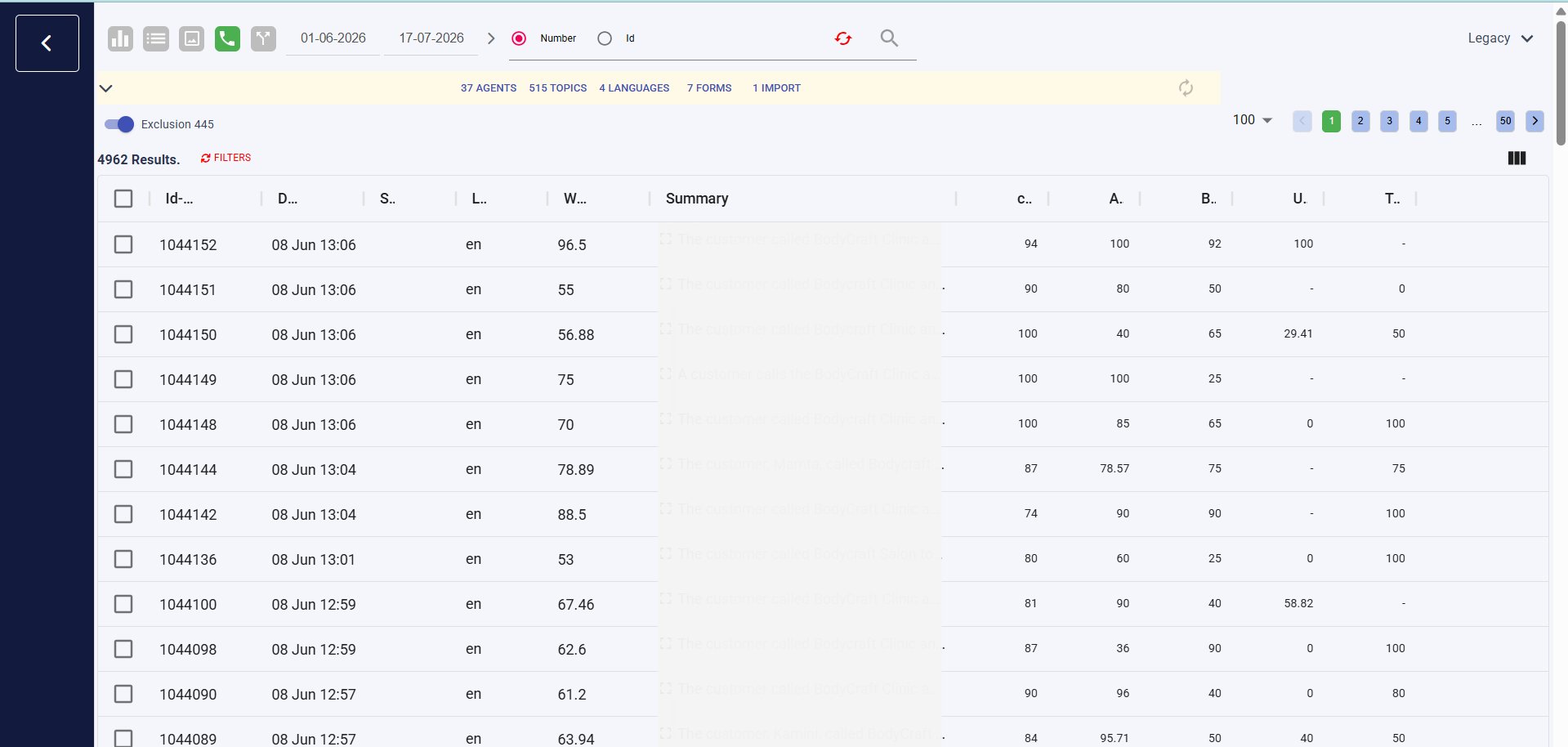
To review a single call’s evaluation in detail, use Cx Ops → Audit.1
Go to Cx Ops → Audit
Select the audio/call icon at the top to filter for audio-based interactions.
2
Review the Audit list
This view shows a summary (Agents, Topics, Languages, Forms), an Exclusion toggle, and a results table with per-schema score columns alongside an auto-generated call summary.
1.1 Call Detail Drill-Down
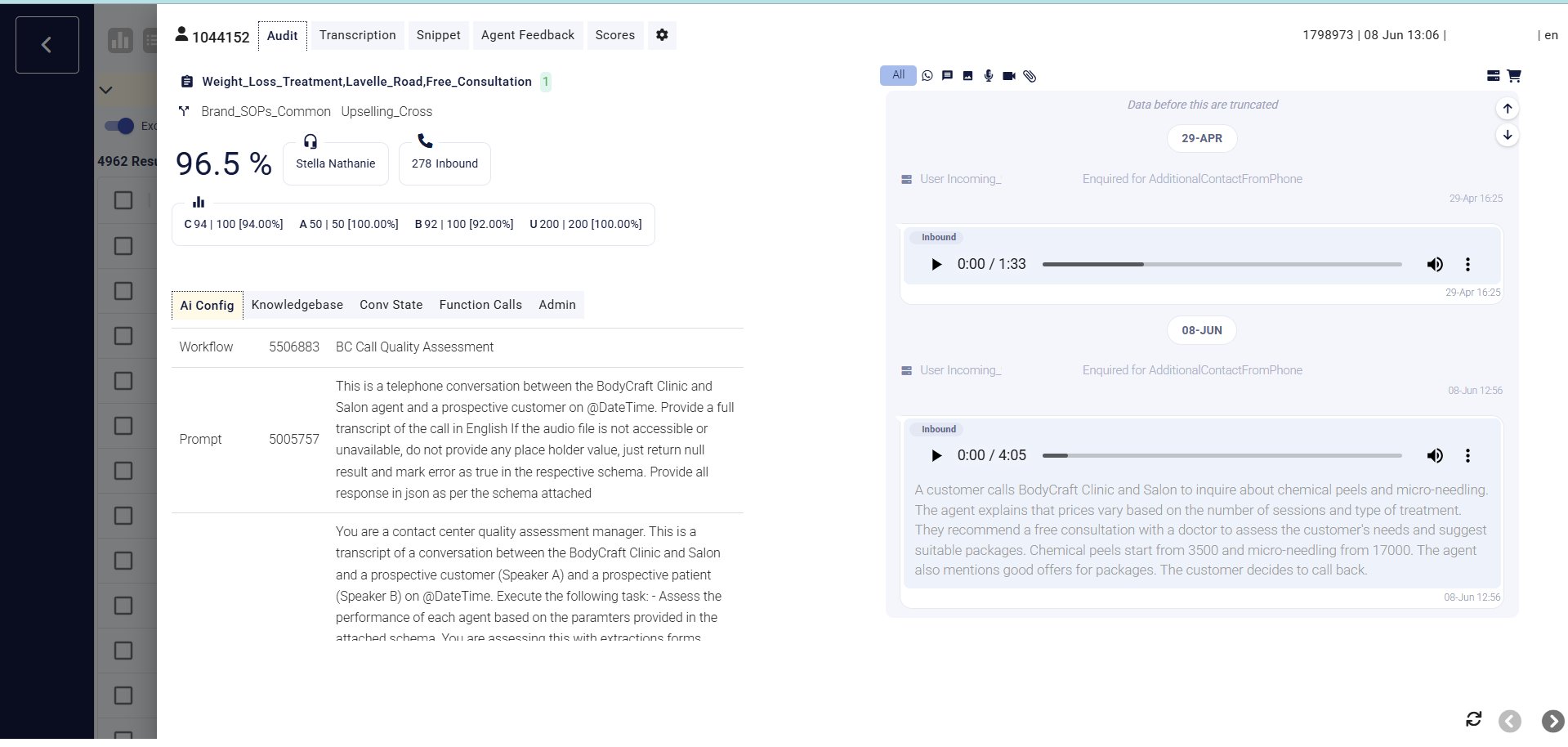
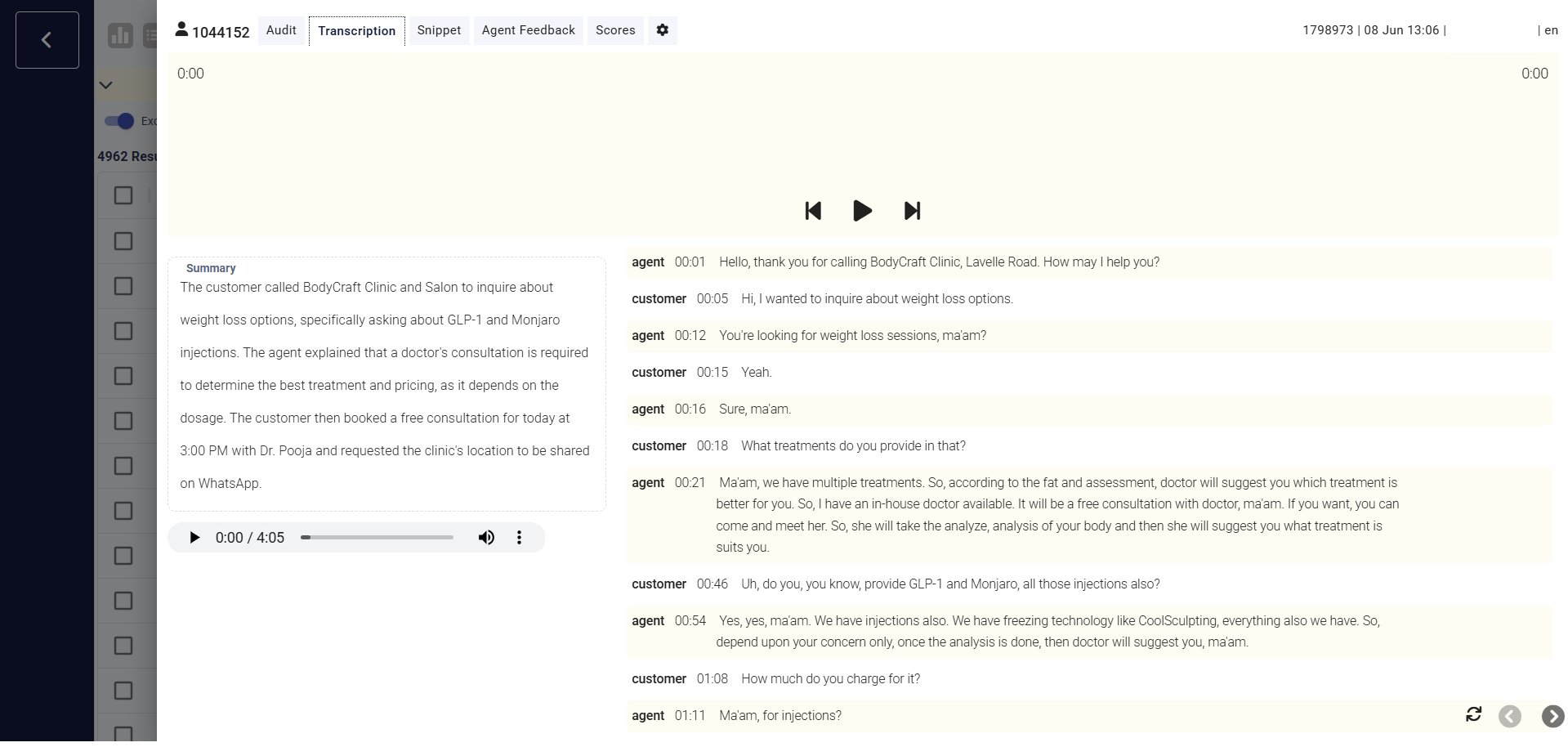
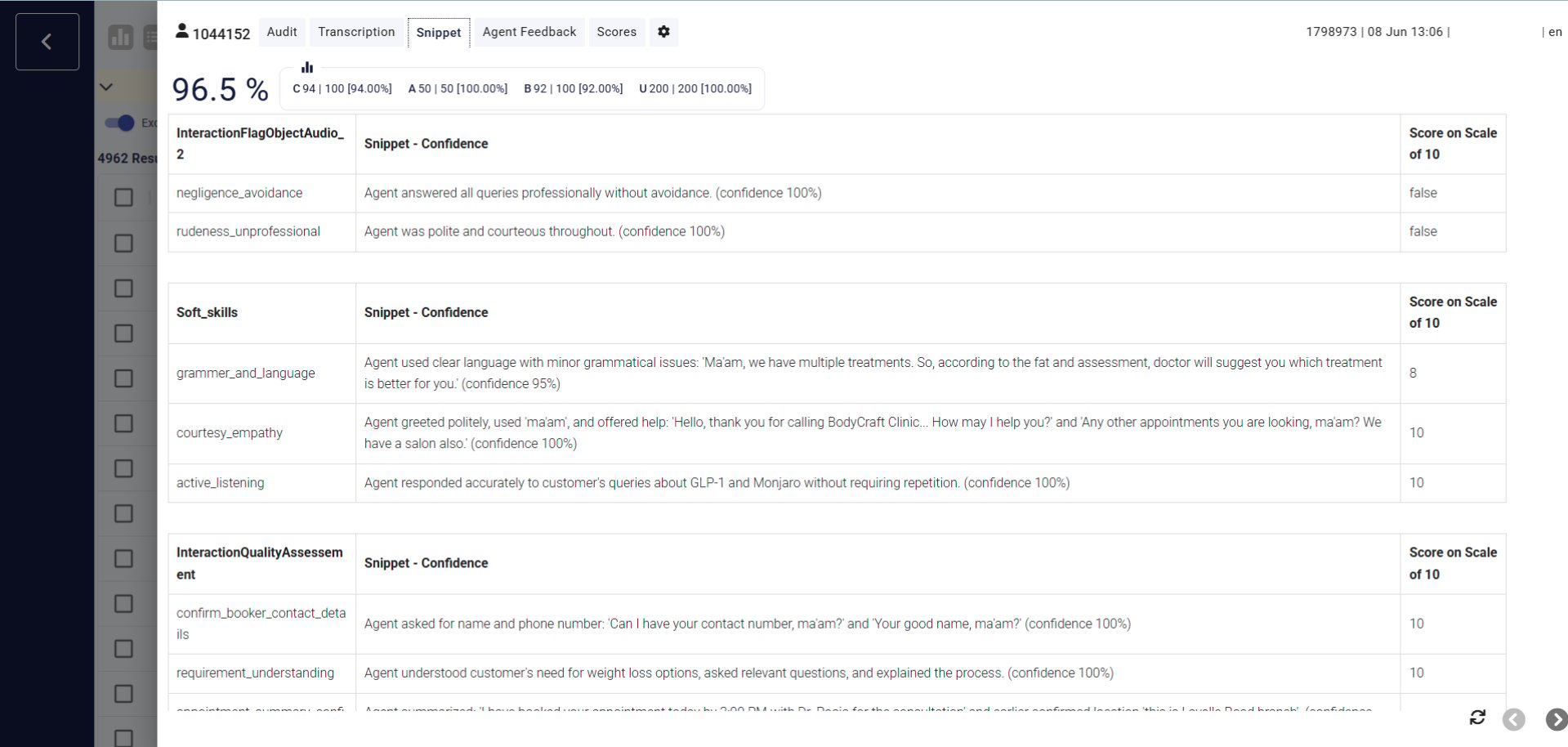
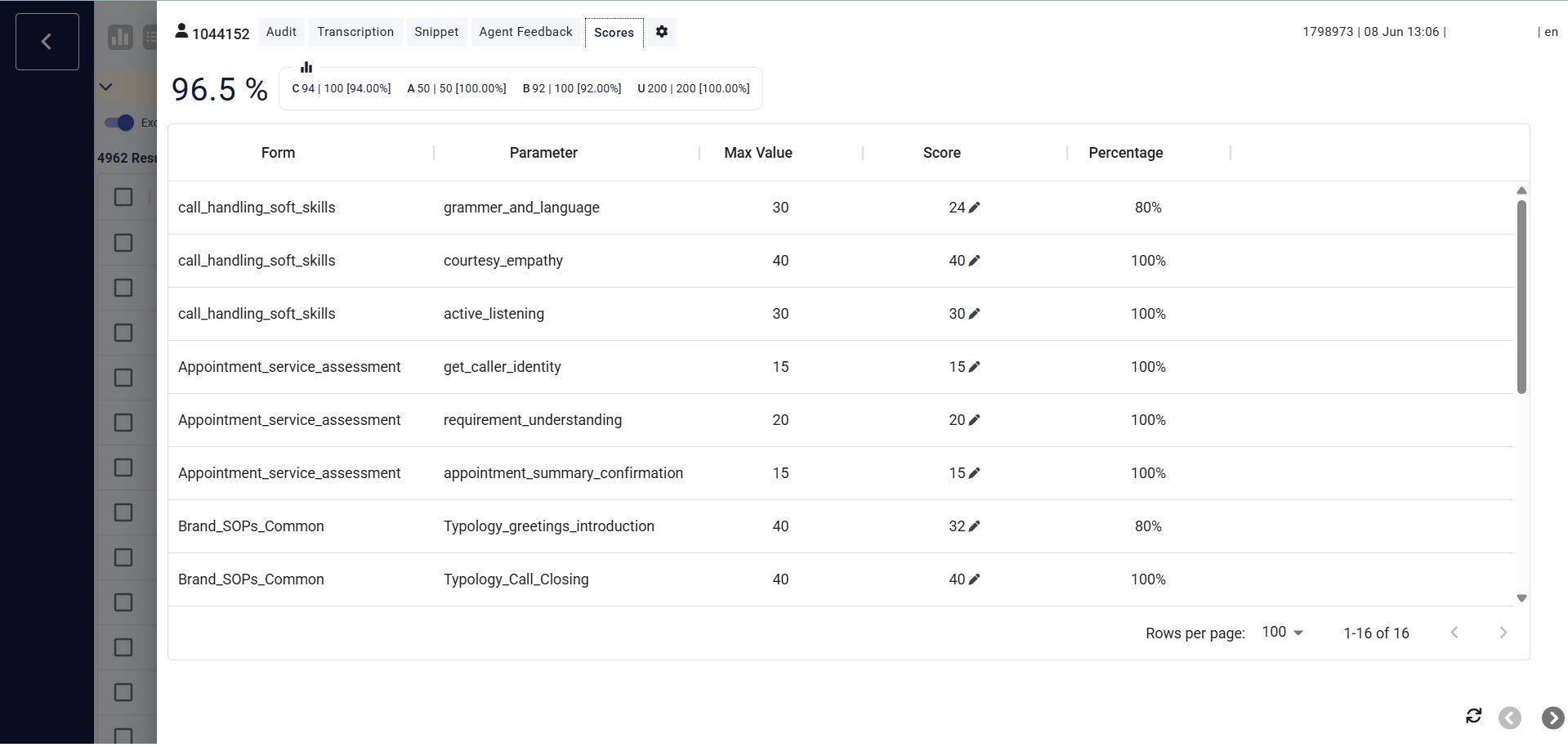
Clicking into a call opens its detail view, split across four tabs:- Audit
- Transcription
- Snippet
- Scores
Overview of the interaction — overall score, schema-level score summary, the AI Config/prompt used, and the call log with playable audio recordings.